
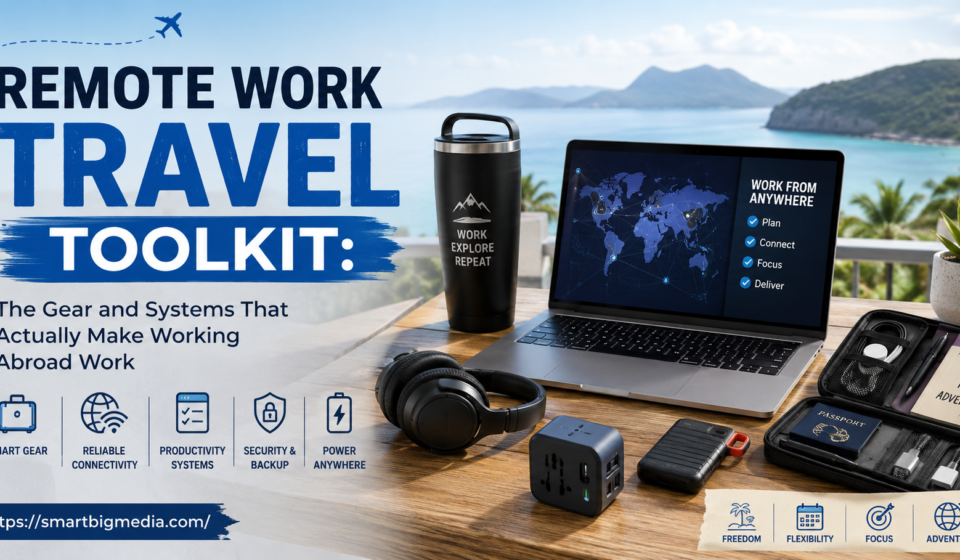

Called a client once at what I was sure was 2 pm their time. Turned out I’d done the math backward. It was 2 am. Nobody picked up, obviously, and I spent the next morning apologizing over email, feeling like a complete idiot. Happens constantly to people new to working while traveling, and it’s rarely about skill, honestly, or effort. It’s about not having the right systems yet. A remote work travel toolkit isn’t really a shopping list, even though gear plays some part in it. It’s mostly boring systems — for connectivity, for workspace, for time — so work doesn’t just fall apart the moment you land somewhere unfamiliar and jet-lagged.
Here’s what that toolkit actually looks like. Broken down by what goes wrong most, and what fixes it.
Connectivity, Because Nothing Else Matters Without It
None of this whole setup means anything if you can’t reliably get online during work hours. The foundation everything else sits on. Deserves more planning than most people give it, in my experience, myself included for years.
A local SIM or an eSIM set up before you even land covers most day-to-day needs, and eSIMs specifically made this dramatically easier the last few years — no hunting for a SIM shop the second you land exhausted after a long flight, just activate a plan digitally before you’ve even left the departure gate at home. Worth having more than one option though. Relying on a single carrier means a single point of failure the moment that network has an outage, or just weak coverage wherever you end up staying.
A portable hotspot as backup, separate from the phone entirely, matters more than people expect. Laptop needs tethering for a call and the phone’s tied up doing something else — a dedicated hotspot avoids the awkward mid-meeting scramble when the connection just drops out of nowhere.
Testing wifi speed before committing to a spot for the whole day sounds obvious, gets skipped constantly anyway. A cafe that looks perfect on the outside can have wifi that chokes on a video call, and finding that out five minutes before a client meeting is a stress nobody needs. Quick speed test the moment you sit down. Before you even order the coffee. Saves that particular disaster every time.
The Gear That Actually Earns Its Weight in the Bag
Packing light matters a lot for long-term travel, which means every piece of work gear has to justify the space and weight it’s taking up.
A lightweight laptop stand does more for comfort than people expect, especially anyone working multi-hour days from cafes or coworking desks that were never built with ergonomics in mind at all. Hunching over a flat laptop for six hours a day adds up fast into real neck and shoulder pain. A collapsible stand folds down small, solves most of that for almost no added bag weight.
A compact external keyboard and mouse make longer sessions noticeably more comfortable too, letting you raise the screen to eye level with that stand while typing at a natural angle instead of hunched forward like a question mark. Bluetooth versions skip extra cables and dongles cluttering up an already-small bag.
Noise-canceling headphones are close to essential, not really a luxury, for anyone taking calls from unpredictable environments. Busy cafe. Shared coworking space. Hostel common room where you genuinely cannot control the noise around you no matter how you position yourself. Beyond blocking distractions for you, a decent mic also means whoever’s on the other end of the call isn’t dealing with background noise making you sound like you’re calling from inside a blender.
A reliable universal power adapter, ideally with multiple ports built in, avoids the classic nightmare — a laptop charger incompatible with local outlets somewhere with unfamiliar electrical standards. Worth checking voltage compatibility specifically too, not just plug shape, since some regions run different voltage entirely and that’s a slightly more expensive mistake to make.
Workspace, as a System Rather Than a Desk
Beyond the physical gear, having a repeatable system for finding and setting up a workspace in a new city saves an enormous amount of quiet daily decision fatigue that wears people down without them noticing.
Coworking spaces solve a lot at once. Reliable wifi. Proper desks. Quiet zones for calls. Often a built-in community of other remote workers who’ve already figured out the local logistics you’re still learning the hard way. Day passes make this accessible even if you’re not settling somewhere long enough to justify a monthly membership.
For anyone who’d rather work from cafes than formal coworking spaces, building a small shortlist of two or three reliable spots in a new city — instead of wandering around hoping to stumble onto somewhere decent each morning — removes a surprising amount of daily friction. Nomad apps and forums usually have crowdsourced lists ranking cafes specifically by wifi reliability and outlet count, which honestly matters way more than a place just looking nice in photos.
Time Zones, Which Trip Almost Everyone Up At Some Point
Time zone mistakes are probably the single most common, most avoidable problem in remote work travel, and my own 2am call disaster is a pretty mild version compared to some of the stories I’ve heard from other people doing this.
A world clock app showing multiple relevant zones side by side, kept visible all the time instead of only checked when scheduling something, catches most of these mistakes before they happen. Calendar tools that auto-convert meeting times to wherever you currently are, instead of requiring manual math every single time, remove the error-prone step entirely rather than just making it slightly less annoying.
For anyone managing a team or clients across several zones regularly, a simple reference chart showing key contacts’ local time relative to wherever you currently are — updated each time you move — beats redoing the mental math from scratch daily. Sounds like overkill until the first time it saves you from double-booking something. Or worse, missing something important entirely.
Actually Managing the Workday, Not Just Knowing the Time
Beyond just knowing what time it is somewhere else, remote work travel often means restructuring your whole schedule to overlap with colleagues or clients who aren’t moving time zones the way you are.
Finding a consistent overlap window — even just two or three hours where your schedule and a key client’s actually line up — and protecting that window specifically for meetings and real-time collaboration, while pushing independent heads-down work to the hours outside it, tends to work better than trying to be available around the clock just because technically you can be. Burnout from working oddly-timed hours to match a home office schedule is real, and honestly pretty common, among people doing this across large time differences long-term.
Backup Plans for When It All Goes Sideways
Things go wrong eventually. A toolkit isn’t really complete without a plan for a laptop dying, wifi genuinely failing everywhere in a given city, or a power outage hitting at exactly the worst moment.
Cloud-based storage that syncs automatically means work isn’t trapped on one single device that could fail or vanish. Keeping a loose mental list of backup workspace options wherever you’re staying more than a few days — a second coworking space, a hotel business center, a friend’s place if you happen to know someone locally — means one bad wifi day doesn’t turn into a missed deadline and a very awkward email to a client.
For anything genuinely critical, having some plan for accessing work from just a phone, uncomfortable as that is, matters more than people think until the day the laptop actually dies and they’re suddenly very grateful that plan exists at all.
Health, and Whether the Whole Setup Is Even Sustainable
A toolkit focused purely on gear and connectivity misses something — the physical and mental sustainability of doing this long-term rather than just white-knuckling through a two-week trip.
Ergonomic basics matter more over months of travel than a short trip, since cumulative strain from hunching over a laptop in cafes day after day adds up in ways easy to ignore until it’s suddenly a real problem you can’t ignore anymore. Building in actual breaks, movement, and boundaries around work hours — instead of letting work bleed into every hour simply because the laptop’s right there in the bag, always — matters a lot for anyone doing this as a lifestyle rather than a short break from a normal office grind.
Final Thoughts
A remote work travel toolkit isn’t really a shopping list, even though the gear does play some role in it. It’s a set of systems — staying connected reliably, finding a workable space fast in unfamiliar places, managing time zones without constant errors, having an actual backup plan for when something inevitably breaks. The people who make this lifestyle sustainable long-term aren’t the ones with the fanciest gear. They’re the ones who built boring, reliable systems early and just kept using them, trip after trip, instead of reinventing everything from scratch every single time they land somewhere new.



[…] Doing all of that by hand across a dozen tabs is exhausting — and it’s exactly the kind of research-heavy pattern-matching AI tools happen to be good […]