
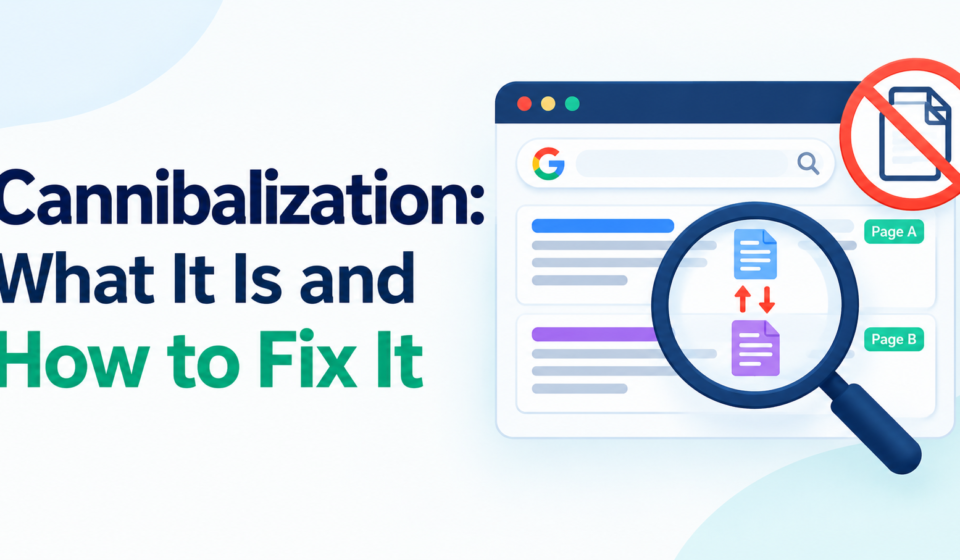
You wrote a strong post, but it will not climb in Google. When you look closer, another page on your own site targets the same search. The two pages are working against each other, and that is keyword cannibalization.
This guide explains what keyword cannibalization is, how to find it for free, and how to fix it step by step.
Quick answer
Keyword cannibalization happens when two or more pages on the same website target the same keyword or search intent, so they compete with each other in Google. To fix it, find the competing pages in Google Search Console, then merge them, redirect one to the other, or change one so it targets a different keyword.
What is keyword cannibalization?
Google usually shows only one or two results from the same site for a search. When several of your pages are about the same topic, Google has to guess which one to show. It may pick the weaker page, switch between pages from week to week, or rank all of them lower than a single strong page would rank.
A simple example: a small marketing agency publishes “How to Do Keyword Research,” “Keyword Research for Beginners,” and “Keyword Research Guide.” All three answer the same question. Google sees three similar pages, and none of them builds enough strength to rank well.
Why keyword cannibalization hurts your SEO
- Split signals: links and clicks are spread across several pages instead of one.
- Unstable rankings: Google swaps which page it shows, so positions bounce up and down.
- Wrong page ranks: the page that ranks may not be the one you want visitors to see.
- Wasted effort: you spend time on pages that compete instead of supporting each other.
Is it always a problem?
No. Two pages that rank in the top results for the same keyword are not a problem, and sometimes it is a win. It becomes a problem when the pages swap positions, both rank low, or the wrong page ranks. Pages that share a keyword but serve different intent are also fine, such as a how-to guide and a pricing page.
How to find keyword cannibalization
You can find it for free with Google Search Console and Google search. You need a site that already gets some impressions, so check this after a few weeks of publishing.
Method 1: Check the Performance Report in Search Console
- Open Google Search Console and select Performance, then Search Results.
- Set the date range to the last 3 months.
- Select the Queries tab and click a keyword you care about.
- Switch to the Pages tab. This shows every page that appeared for that keyword.
If two or more pages show clicks and impressions for the same query, those pages may be cannibalizing each other. Look closely at pages whose positions are close together or that swap places over time. Use the date comparison to see whether the leading page keeps changing.
Method 2: Use a site search.
Type your keyword with your domain into Google, like this:
site:yourdomain.com "keyword research"
If several of your pages appear and they cover the same topic, check them against the Search Console data. This method shows overlap in content, not how Google ranks the pages, so treat it as a starting point.
Method 3: Review your content list.
List your posts with their titles and target keywords in a spreadsheet. Sort the list by keyword. Titles that repeat the same main phrase or only differ by a word such as “guide,” “tips,” or “best” are the first ones to check.
What to look for
- Two pages with near identical titles or headings
- One query where Google keeps changing the ranking page
- A page you do not want to rank, such as an old post, showing above your main page
- Several pages with low positions for the same keyword instead of one page with a strong position
How to fix keyword cannibalization
The right fix depends on whether the competing pages should exist at all. Pick the option that fits each pair of pages.
| Fix | Use it when | What to do |
|---|---|---|
| Merge the pages. | Both pages cover the same topic, and neither is clearly better. | Combine the best parts into one stronger page, keep the better URL, and redirect the other to it. |
| Redirect one page | One page is outdated or thin and adds nothing. | Add a 301 redirect from the weaker page to the stronger one. |
| Change the focus of one page. | Both pages are useful but target the same keyword. | Rewrite the title, headings, and intro of one page around a different keyword or intent. |
| Improve internal links. | You want one page to be the main result. | Link to the main page from the other page and across your site using the target keyword as anchor text. |
| Use a canonical tag. | Pages are near duplicates that must both stay live. | Point the canonical tag of the duplicate to the main page. |
| Remove or noindex the weaker page. | The page has no value for search. | Delete it with a redirect, or add a noindex tag if visitors still need it. |
Step-by-step fix for a typical case
- Choose the page you want to rank. Pick the one with more links, clicks, or a better position.
- Copy any useful sections, examples or data from the weaker page into the main page.
- Redirect the weaker page’s URL to the main page with a 301 redirect.
- Update internal links so they point to the main page, not the old one.
- Update the main page’s title and headings so they match the target keyword clearly.
- In Search Console, open the URL Inspection tool for the main page and select Request indexing.
- Watch the examples, performance Performance report over the next 4 to 8 weeks to confirm the main page holds a steadier position.
Before deleting or redirecting any page, note its URL and the keywords it ranks for, so you can check the result later.
How to prevent keyword cannibalization
- Keep a keyword map: a simple spreadsheet with one row per page, its main keyword and its search intent. Check it before you write a new post.
- Search before you write: look for your topic
site:yourdomain.comto see if you already have a page on it. - Group by topic: build one strong main page per topic and supporting posts that cover narrower questions and link back to it.
- Update instead of duplicating: if an older post covers the topic, refresh it rather than publishing a new one.
- Review twice a year: recheck the performance report for queries with several ranking pages.
FAQ
Can two pages on my site rank for the same keyword?
Yes, and sometimes both rank well. It only needs fixing when they swap positions, hold each other back, or the wrong page ranks.
How long does it take to see results after fixing it?
Usually a few weeks after Google recrawls the changed pages. Watch the Performance report for 4 to 8 weeks before judging the result.
Should I delete the weaker page?
Only if it has no value. Redirecting it to the stronger page with a 301 redirect keeps its links and visitors, so it is usually better than deleting it with nothing behind it.
Does a canonical tag fix keyword cannibalization?
It can for near-duplicate pages, because it tells Google which version is the main one. It does not help when the pages are different but target the same keyword. In that case merge them or change one page’s focus.
Conclusion
Keyword cannibalization is common on blogs that publish often, and it is easy to miss. Check the performance report for queries where several of your pages appear, then merge, redirect, or refocus the competing pages. Keep a keyword map so each new post targets its own search.